
A Marketer’s Tale: Turning Frustration into Opportunity
Meet Sarah, a digital marketing expert at a fast-growing eCommerce brand. Like many marketers, Sarah relied heavily on Facebook ads to drive traffic to her website. With an impressive track record of crafting compelling ad campaigns, she expected great results—but something wasn’t adding up. Her campaigns were generating plenty of clicks, yet conversions were stagnant.
If you’ve ever faced a similar pattern of high clicks and low conversions, you may want to explore why this happens across Meta platforms in our guide: Why In-App Browsers Are Killing Your Conversions.
Sarah dove into the data and found an unsettling pattern: most users were abandoning her website within seconds of clicking the ad. Frustrated but determined, she decided to uncover the root cause.
The Problem: Facebook's In-App Browser
Facebook’s WebView limitations behave very similarly to Instagram’s in-app browser issues. If Instagram is a major traffic source for you, this breakdown will help: How to Bypass Instagram’s In-App Browser
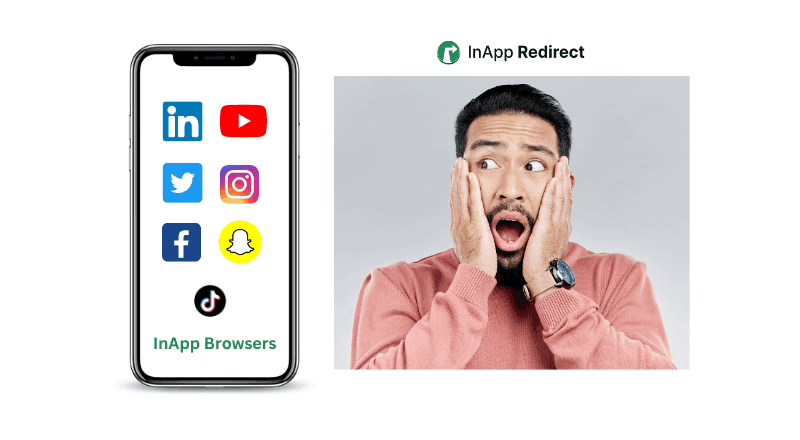
Sarah’s investigation revealed that Facebook’s in-app browser was the culprit. Every time a user clicked on her ad, the website page opened within Facebook’s built-in browser rather than their default native browser. This in-app browser wasn’t just inconvenient; it was actively hindering conversions..
What Sarah Discovered:
- Limited Functionality: Features like forms & payment autofill as well as multiple tabs based browsing is not available, leaving users frustrated.
- Poor Tracking: The browser’s limited cookie support meant critical analytics were inaccurate. So if any user has added items to the cart and closed the InApp browser for the whatsoever reason, that whole journey is also gone, means there is "No Buy Later". These tracking gaps are one of the biggest reasons Meta ad funnels underperform — explained in more detail here: How to Increase Meta Ads Conversions.
- Slow Loading Times: Pages took longer to load, increasing bounce rates, a new bummer because she found InApp Browsers are loading her website upto 40% slowly as compared to Native Browsers. Slowdowns like these are also a core reason brands choose to open URLs externally instead of inside WebViews. Here’s a simple implementation guide: How to Open Links in Default Mobile Browsers.
- User Distrust: Many users perceived the in-app browser as less secure, leading to hesitation in completing transactions. Security concerns are even deeper than most marketers realize — we covered those risks extensively here: Security of In-App Browsers: What You Need to Know.
The Solution: InApp Redirect
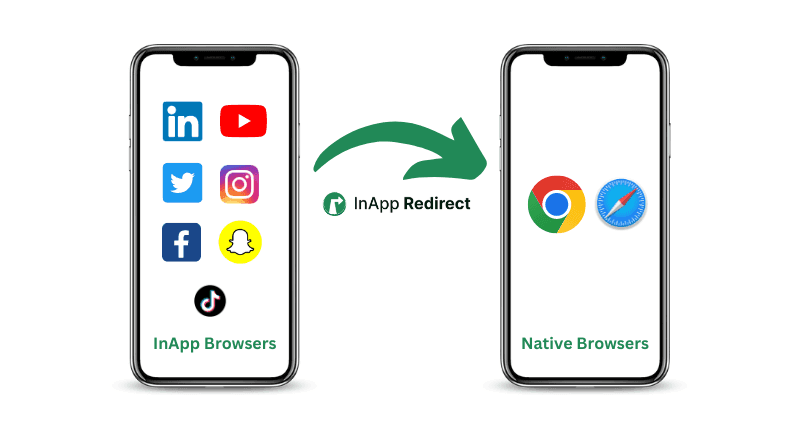
Determined to find a way around this issue, Sarah stumbled upon InApp Redirect. IAR provides an option to seamlessly redirect users from Facebook’s in-app browser to their native browsers like Chrome/Safari, solving the exact problems she was facing.
Why Sarah Chose InApp Redirect:
- Seamless Redirection: Users were instantly redirected to their default browsers like Chrome or Safari.
- Improved User Experience: Features like autofill and faster load times were restored.
- Enhanced Tracking: Full cookie support allowed for accurate analytics and retargeting.
- Increased Trust: Users felt more secure completing transactions in their native browsers.
If you want to explore practical real-world scenarios where native browser redirection makes a big impact, here are some helpful In-App Browser Redirection Use Cases.
Sarah’s Success Story
After integrating InApp Redirect into her campaigns, Sarah ran a test. The results were staggering. Conversion rates increased by upto 2X for the redirected users, and her ROAS saw a 30% boost within just a month. Users were spending more time on her website, exploring products, and completing purchases—all because they were now browsing in an environment they trusted and understood.
Sarah’s team also noticed another unexpected benefit: fewer customer complaints about slow pages or errors, which meant they could focus more on scaling their campaigns instead of troubleshooting issues. Thanks to InApp Redirect :)
Why InApp Redirect Works
Sarah’s story is not unique. Many businesses face the same challenges with Facebook’s in-app browser, and InApp Redirect is the game-changer they need. Here’s how it delivers results:
1. Better User Experience
By redirecting users to native browsers, you eliminate the barriers that prevent seamless navigation and interaction.
2. Higher Conversions
With a smoother and faster browsing experience, users are more likely to complete purchases or sign-ups.
3. Improved Analytics
Accurate data is crucial for optimizing campaigns, and InApp Redirect ensures you have it. Accurate analytics is also the foundation for improving ROAS across Instagram and Facebook — this blog explains how browser choice directly impacts ROAS: Boost Social Ads ROAS with Native Browser Redirects.
4. Increased Trust
Users feel safer and more comfortable completing transactions in their native browsers.
How to Get Started with InApp Redirect
Just like Sarah, you can unlock your advertising potential with these simple steps:
- Sign Up: Visit InApp Redirect and create an account.
- Integrate the Script: Follow the setup guide to add the InApp Redirect script to your website.
- Test Your Campaigns: Ensure everything works smoothly by testing your landing pages from Facebook’s in-app browser.
- Track Results: Use analytics to measure the impact on conversions and ROAS, and optimize your campaigns accordingly.
Conclusion: A New Chapter for Your Campaigns
Sarah’s story is a testament to the power of innovation. By addressing a common yet overlooked problem, she turned her struggling campaigns into a success story. Now it’s your turn.
Don’t let Facebook’s in-app browser hold you back.
With InApp Redirect, you can create a seamless user journey, boost your website conversions, and maximize your ROAS.
Ready to Transform Your Campaigns?
Get Started with InApp Redirect Today
If you’d like to understand the core technical difference between in-app browsers and native browsers, this comparison will help: Difference Between In-App Browser and Default Browser.
Written by
About the author

Shubham Saurabh
Connect on LinkedInShare this article
Found it useful? Pass it along.