Home
Domain Setup
Link In Bio
SmartLink
Deep Link
Use Cases
Blogs
Pricing
Shubham

Shubham Saurabh

Co-founder & CEO

Or write to us at
support@inappredirect.com

Domain Setup to Exit Instagram & Facebook In-App Browsers

If you control your website, Domain Setup is the most reliable way to automatically redirect Instagram and Facebook in-app browser traffic to Safari or Chrome — site-wide, without changing links.

Quick Answers

What is Domain Setup and when should you use it site-wide?

Domain Setup adds InApp Redirect logic at the domain level so brands running paid Instagram and Facebook campaigns can open ad-click traffic in Safari or Chrome instead of inside in-app browsers, often improving conversion rates by 10-30%.

What is Domain Setup?

Domain Setup allows you to integrate InApp Redirect directly into your website so that traffic arriving from Instagram and Facebook automatically opens in Chrome or Safari instead of remaining trapped inside restrictive in-app browsers. Once enabled, the experience works across your entire domain without requiring any changes to individual campaigns, ads, or landing pages.

Who is it for?

Domain Setup is designed for ecommerce brands, D2C companies, and performance marketing teams running Instagram and Facebook campaigns at scale. It is ideal for businesses that want to improve conversion rates, preserve attribution, and create a smoother post-click experience for every visitor coming from Meta traffic.

How does it work?

You add the lightweight, asynchronous InApp Redirect pixel or script to your website's <head> section once, and it automatically detects visitors arriving from Instagram and Facebook in-app browsers. It then intelligently opens your website in the visitor's native browser, such as Chrome or Safari, creating a smoother browsing experience while reducing checkout friction, payment issues, attribution loss, and conversion drop-offs.

When should you choose it?

Choose Domain Setup when a significant portion of your traffic comes from Instagram and Facebook ads and you want every visitor to benefit from a better post-click experience automatically. It is ideal for brands looking for a domain-wide solution that opens traffic in native browsers without creating separate smart links for every campaign, ad set, or landing page. If improving conversion rates, attribution accuracy, and ROAS from Meta traffic is a priority, Domain Setup is the recommended approach.

Fit Check

Best For / Not Ideal For

Domain Setup is the strongest fit when you control the website and want Instagram and Facebook traffic to open in native browsers across the whole domain.

Best For

  • Brands and ecommerce stores running Instagram or Facebook ads to pages on their own website.
  • Teams that want one installation covering many campaigns, landing pages, and repeat visitors.
  • Businesses focused on improving conversion rates, ROAS, and attribution from Meta traffic.

Not Ideal For

  • Campaigns sending traffic to websites you do not control.
  • Use cases that need app-deep destinations such as Amazon, Spotify, or YouTube apps. Use Deep Link
  • Teams that only need redirect behavior for a few selected links rather than the whole site. Use Smart Link

What is Domain Setup?

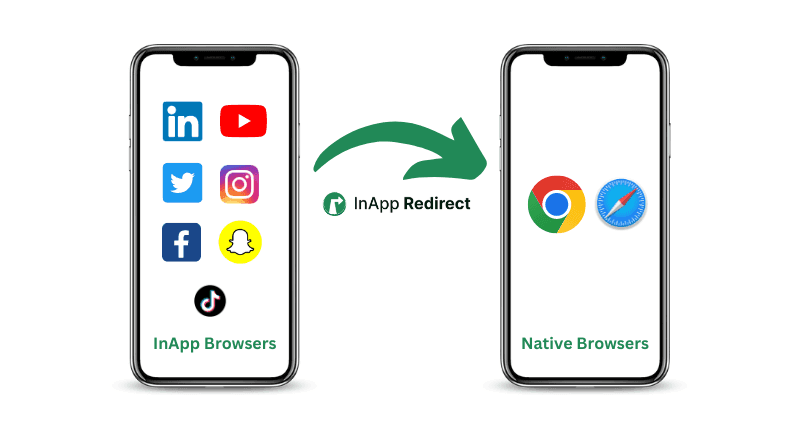
Domain Setup installs the InApp Redirect script directly on your website. Once added, visitors arriving from Instagram, Facebook, or TikTok in-app browsers are automatically redirected to their native browser.

If you want to open individual links in an external browser, SmartLink is the better option.

  • Works site-wide

  • No link replacement

  • One-time setup

  • Fully automatic after installation

  • No redirects per URL

💡

Who should use Domain Setup?

Ideal for brands, ecommerce sites, influencers, and advertisers who control their website domain. If you don't control the website, use SmartLink instead.

How Domain Setup Works

1

User clicks your website link

A visitor clicks your link inside Instagram or Facebook

2

InApp Redirect detects browser

The script detects the in-app browser environment

3

OS-level consent requested

The user is prompted once to open the link in their native browser

4

Opens in Safari or Chrome

Website loads in the native browser automatically

5

Normal behavior restored

Cookies, sessions, and tracking work as expected

💡

UX Note

Consent is remembered across sessions. Users won't see repeated prompts. No forced redirects — users always maintain control.

In-App Browser Problems Domain Setup Fixes

Transform in-app browser issues into seamless native experiences

Broken login sessions

Persistent sessions restored

Users stay logged in across page navigation

Checkout failures

Native browser checkout

Payment flows work without interruption

Cookie blocking

Accurate attribution

Track conversions and user journeys reliably across sessions

Pixel inconsistencies

Clean analytics

Meta Pixel and GA4 fire consistently and reliably

Slow in-app UX

Faster page loads

Native browser performance for all visitors

Instagram & Facebook

Domain Setup vs SmartLink for Instagram & Facebook In-App Browser Traffic

Domain Setup

Domain Setup is best when you own the destination website and want a permanent fix for Instagram and Facebook in-app browsers. Unlike SmartLink, Domain Setup works automatically across all pages without modifying URLs.

This makes Domain Setup ideal for ecommerce stores, SaaS apps, and high-traffic websites especially those running paid meta traffic. You install it once, and it protects every page on your site from in-app browser issues.

Why It Matters

With Domain Setup, there's no need to create individual redirect links or modify your marketing URLs. The solution is embedded directly into your website, ensuring consistent behavior across all social media traffic sources.

For businesses running attribution tracking, checkout flows, or login systems, Domain Setup preserves cookies and sessions that would otherwise break in Instagram and Facebook's in-app browsers. If you don't control the destination website or need link-level control, SmartLink is the better option.

If you don't control the destination website or need link-level control, SmartLink is the better option.

Domain Setup vs SmartLink — Which One Should You Use?

Use CaseDomain SetupSmartLink
You own the website
Influencer / affiliate links
Automatic site-wide redirect
No dev access
Ads, stories, bio links
External websites

Domain Setup vs SmartLink — the simple rule

If you control the destination website → use Domain Setup

If you don't control the destination website → use SmartLink

When Domain Setup Is the Right Choice

Domain Setup is built for businesses that own their destination website and need a reliable, permanent solution.

E-commerce brands

Protect checkout flows, preserve sessions, and prevent conversion drops caused by Instagram and Facebook in-app browsers.

Companies running paid ads

Maintain accurate attribution, UTMs, and Meta Pixel tracking across all Facebook and Instagram ad traffic.

Influencer-driven brands

Ensure influencer traffic lands in native browsers without breaking sessions, cookies, or analytics.

SaaS companies

Keep signup, login, and onboarding flows intact when users arrive from social media apps.

Don't control the destination website?Explore SmartLink
💡

When Domain Setup Is the Right Fit?

Domain Setup is ideal when you want a site-wide, install-once solution that works across all pages without changing links.

Easy to Install on Any Website

Get started in minutes with flexible installation options for every platform.

Supported Platforms

Works seamlessly with your existing stack

Shopify
WooCommerce
Webflow / WordPress
Next.js / React
Custom Tech Stack sites

Installation Methods

Choose the approach that works for you

Direct script injection

Add InApp Redirect Script/Pixel to your site header

Zero Risk Installation
No URL changes
No SEO impact
No performance hit

Platform-Compliant & Safe

Domain Setup respects platform policies and user preferences. It leverages native operating system behavior to improve the browsing experience without violating platform terms of service.

  • Uses OS-level browser behavior
  • No forced redirects
  • User always has control
  • No cloaking
  • No policy violations

Set Up Domain Setup in Minutes

Fix in-app browser issues once — across your entire website.

Don't own the destination site? See how SmartLink works

Frequently Asked Questions

Everything you need to know about Domain Setup and how it fixes in-app browser issues.

Domain Setup is installed on your website and works site-wide automatically. SmartLink is used when you don't control the destination website — it's a URL wrapper that works on a per-link basis. If you own the website, Domain Setup is more reliable and requires no link changes.

Yes. Domain Setup works on both iOS and Android. It detects in-app browsers from Instagram, Facebook, and TikTok and prompts users to open links in their native brow

No. Domain Setup has zero impact on SEO. It only activates when a visitor arrives from a social media in-app browser. Search engine crawlers and regular browser traffic are unaffected. Your URLs, content, and indexing remain unchanged.

Yes. All UTM parameters, tracking pixels, and analytics tags are fully preserved when users are redirected to their native browser. Your attribution and conversion tracking will continue to work as expected..

Absolutely. Domain Setup is a simple script that can be removed at any time. Just delete the script tag from your website and everything returns to normal. There are no permanent changes to your site.

No. The script is lightweight and loads asynchronously. It has no measurable impact on page speed or Core Web Vitals. Detection happens instantly and doesn’t block page rendering. We can tell you this because, Auditzy, which is the parent company of InApp Redirect tracks website performance across more than 8Bn+ page views globally across sites.

Yes. Domain Setup uses native OS-level browser behavior and respects user choice. There are no forced redirects, no cloaking, and no policy violations. Users are prompted once and always remain in control.

No. Users are prompted once to open links in their native browser. Their choice is remembered across sessions, so they won’t see repeated prompts.

Most installations take just a few minutes. You simply add a single script to your website header. No URL changes or code refactoring are required.

Yes. Many teams use Domain Setup for their own website and SmartLink for external links, influencer campaigns, or destinations they don’t control.