
What can I create?
Create short links for website destinations and QR codes for scannable sharing. Use a branded domain to keep your business identity in the address.
Link shortener with analytics & Native Browser Routing
Create branded short links, track clicks, and update destinations from one dashboard. Give Instagram and Facebook visitors a consent-based path to your destination in their native browser, such as Chrome or Safari. Extend your reach with QR codes and stay in control of your links after you share them.
Create and manage your links in InApp Redirect Dashboard.
yourbrand.example/collections/summer?source=instagram
yourbrand.example/summer
Recognizable. Shareable. Editable.sl.inappredirect.com/exa-m-ple
Quick answers
A link shortener, also called a URL shortener, turns a long web address into a shorter sharing link that redirects to your destination. InApp Redirect adds branding, click analytics, QR codes, and controls for managing what happens after you share it.
Create short links for website destinations and QR codes for scannable sharing. Use a branded domain to keep your business identity in the address.
Review recorded link clicks and breakdowns by country, city, device type, operating system, and browser.
Update the destination without replacing the sharing address. Use folders and tags to keep your links organized.
Shortening changes the address you share. Browser routing helps visitors continue beyond a supported in-app browser. InApp Redirect brings both into your link workflow.
Find your fit
Use InApp Redirect when you want a convenient sharing link—and a practical way to brand, measure, organize, and update it.
Create. Share. Manage.
Start with your destination, choose the controls you need, and keep managing your link after it goes live.
Sign in to InApp Redirect and paste the complete URL of the page you want to share.
Choose your available domain and link settings. Add browser routing, an expiry, or password protection for your use case.
Copy your generated short link or create a QR code. Test the destination before sharing it in a post, email, message, or printed material.
Review recorded clicks, organize the link with folders and tags, and change its destination as your campaign moves forward.
yourbrand.example/sale
Campaigns and promotionsshop.yourbrand.example/promo
Products and collectionslinks.yourbrand.example/demo
Resources and demosCustom branded domains
Create short links that put your brand in the address. A link like yourbrand.example/sale helps people recognize your business before they click, while a clear ending tells them what to expect.
Make your sharing links recognizable before someone clicks. Connect a branded domain and use it across campaigns, content, and customer communications.
Use a domain associated with your brand instead of relying only on a generic shortening address.
Use the same branded domain across social posts, newsletters, promotions, and printed QR campaigns.
Your sharing address can stay consistent while you update the page behind it.
A recognizable branded domain helps build trust before the click by showing readers who is sharing the link. Pair it with clear link labels so visitors know what to expect when they open it.
Beyond the built-in InApp browser
InApp Redirect’s browser routing helps visitors move from Instagram, Facebook, and other supported in-app browsers to their native browser, such as Safari or Chrome.
Share your link in Instagram bios, Stories, and direct messages so visitors can open your destination in Chrome or Safari with their consent.
Share your link in Facebook posts, ads, and messages so visitors can open your destination in Chrome or Safari with their consent.
Share your link through other supported apps so visitors can open your destination in their native browser, such as Chrome or Safari, with their consent.
The opening experience depends on the source app, device, browser settings, and user choices. User consent is required to bypass Instagram’s and Facebook’s in-app browsers and open your destination link in the user’s native browser, such as Chrome or Safari.
Understand the clicks
See how your shared links are being used. Review click activity alongside location and technology breakdowns to inform your next campaign and testing priorities.
See the recorded clicks your links receive. Use separate links for different placements when you want to compare their activity.
Example placements for a campaign.
Explore the geographic distribution of recorded clicks to identify locations showing interest.
Understand the mix of mobile, desktop, and tablet traffic.
Use operating-system breakdowns to guide your destination testing.
See the browsers associated with recorded clicks and check destination compatibility.
Keep the link. Update the destination.
Update the page your short link opens without changing the link you’ve already shared. Send visitors to a new product, the latest offer, or a moved article without replacing links in your posts, emails, or printed materials.
Point an existing promotion link to the current offer when the previous campaign ends.
Update the destination when content moves to a new address.
Use a consistent link for your latest announcement, resource, or featured collection.
One link. Multiple destinations.
Share one short link and send visitors to different offers, landing pages, or affiliate destinations. Choose a traffic percentage for each URL, or use InApp Redirect’s Smart A/B Testing.
sl.inappredirect.com/exa-m-ple
yourbrand.example/offer
Add multiple destination URLs and assign a percentage to each. Send more traffic to one offer or divide it across several alternatives.
Compare different offers, affiliate links, or landing pages behind the same sharing address. Use your chosen percentages or rely on InApp Redirect’s Smart A/B Testing for your link.
Open the Destination tab in your analytics reports to see which URLs received traffic and the exact number of recorded redirects to each.
Choose how traffic is distributed across your destinations. With manual percentages, each click is routed randomly according to your settings—for example, a destination assigned 40% has a 40% chance of receiving a click. Or let InApp Redirect’s Smart Redirection choose destinations and manage the traffic split automatically, without entering percentages yourself.
Someone clicking the same link again may reach another destination—or the same one twice. Each click is a separate selection.
Small samples can look uneven. As traffic grows, the observed split tends to get closer to your settings, but no fixed number of clicks guarantees an exact match.
One campaign. Local destinations.
Use one short link for your international campaign and redirect visitors to different destinations based on their location. Connect each audience with the regional store, local offer, or landing page you want them to see.
sl.inappredirect.com/exa-m-ple
yourbrand.example/offer
https://www.example.com/us/offers
https://www.example.com/uk/offers
https://www.example.com/in/offers
Send visitors to the storefront for their location, where you can show the products, pricing, and delivery information relevant to their market.
Promote different offers in different markets using the same campaign link. Choose the destination that fits each audience’s location.
Route visitors to local landing pages with the language, content, and campaign message you have prepared for their market.
Turn link clicks into your next audience
Connect Facebook, Google, and custom pixels to your branded links to support retargeting campaigns. Use interest in your shared products, offers, and content to build audiences you can reach again through your advertising platforms.
Add your Facebook pixel to a branded link and connect link activity with your Meta advertising campaigns. Build audiences for follow-up ads on Facebook and Instagram.
Connect your Google pixel to support remarketing campaigns. Reach interested audiences again with ads that bring them back to your products, offers, or content.
Add a custom pixel to connect your branded links with another advertising or retargeting tool you use. Keep your shared links connected to your campaign workflow.
A click can be the start of a longer customer journey. Pair your branded links with retargeting pixels to reconnect with interested audiences through relevant follow-up campaigns.
Add your Facebook, Google, or custom pixel to the branded link.
Use it in social posts, emails, and promotions that bring people to your destination.
Use the audience tools in your advertising platform to plan and deliver follow-up ads.
Make your links scannable
Use the QR code generator to give people a scannable route to your content, wherever typing a URL would be inconvenient.
Connect customers with product information, setup instructions, or a relevant collection.
Give attendees a route to registration pages, schedules, slides, or follow-up resources.
Add QR codes to posters, inserts, menus, or displays.
Add control to your sharing
Set an expiry date for temporary offers or event links, and add a password so only visitors who enter it can continue to your destination. Both features are included on every plan, within your plan’s usage limits.
Set an expiry for time-limited campaigns, event links, or temporary resources. Check your expiry settings before publishing a time-sensitive campaign.
Require a password before visitors continue through the shared link. Use it as an additional gate for a selected audience.
Keep campaigns organized
Keep related links together instead of managing disconnected URLs. Use folders for structure and tags for context.
Organize links around campaigns, brands, content series, or projects.
Example folder names.
Add labels that describe a link’s purpose or placement.
Example tags.
A consistent system helps you locate a link when an offer changes or a destination moves.
Built around your work
Promote products, share your latest content, or manage client campaigns with short links you can organize, track, and update in one place.
Create a separate short link for each ad, email, social post etc. Compare recorded clicks across placements to see which messages attract attention and guide your next campaign.
Organize affiliate links by partner or offer so you can find and update them quickly. Use your own branded sharing address or InApp Redirect’s default short links, and direct readers to the current offer when a promotion changes.
Share products and collections using your own branded links or InApp Redirect’s default short links. Add QR codes to packaging for setup guides or product information, and update promotion links when your seasonal range changes.
Give each sponsored Story, profile placement, or campaign its own link. Keep brand partnerships organized and review which placements bring followers to the destination.
Give your audience one familiar link to your latest video, podcast episode, or downloadable resource. Update the destination with each release so the link you share stays useful.
Share articles and newsletters using your own branded links or InApp Redirect’s default short links, then organize them by topic or publication. When an article moves, update its short link so existing shares still lead readers to it.
Keep each client’s links in dedicated folders and tag them by campaign or channel. Find the right link, review its click activity, and update its destination when a client’s promotion changes.
Share links to product demos, trial pages, and release announcements. Test different landing pages with link rotation and direct international visitors to regional product pages with Geo Targeting.
Add short links and QR codes to property listings, brochures, and site signage. Send prospective buyers to virtual tours or project details, and update destinations when a listing changes.
Connect vehicle ads, showroom displays, and brochures to model pages or test-drive booking forms. Use Geo Targeting to direct visitors to regional offers and update links as promotions change.
Share links to hotel packages, tour itineraries, and seasonal offers. Route international audiences to regional booking pages and connect printed QR codes to menus, guides, or guest information.
Use short links and QR codes for event registrations, course pages, and learning resources. Set expiry dates for time-limited access and update destinations when schedules or materials change.
Brands, Creators and Influencers use InApp Redirect to turn high-intent social traffic into journeys that feel faster, convert better, and measure cleanly.
Marketing Manager
Performance Marketing Lead
Ecommerce Director
VP Digital Marketing
Growth Partner
Founder
CMO
Product Lead
Marketing Director
Director of Product & Growth
Customer Experience Lead
Marketing Manager
Find answers about branded and default short links, native browser routing, A/B testing, Geo Targeting, retargeting pixels, and link management.
Connected product suite
Short links are one part of your sharing workflow. Explore a profile page, website routing, or an app-opening destination.

For creating supported YouTube app-opening links to share in bios, Stories, emails, and DMs.
Explore YouTube App OpenerBest for brands running Meta Ads to their own website that want visitors to open landing pages in Chrome or Safari.
Explore Domain SetupFor links to destinations you do not control that should open in the user's native browser.
Explore SmartLinkFor one branded profile page that routes every child link to a better destination.
Explore Link in BioFor opening supported mobile apps directly from social, creator, and campaign traffic.
Explore Deep LinkFor identifying supported app destinations and creating a direct app-opening journey.
Explore App OpenerExplore the platform and find the right browser-routing or app-opening solution for your traffic.
Explore InApp RedirectExplore native browser routing for Meta ads and estimate your additional monthly revenue.
Improve Meta Ads ROASCalculate current ROAS from revenue and ad spend, then compare an optional browser-routing scenario.
Calculate Meta Ads ROASCompare plans, included features, and usage limits to find the right option for your campaigns.
Compare plans and pricingFind the right setup for Meta Ads, ecommerce, creator content, and other campaigns.
Explore all use casesRead practical guides to native browser routing, sharing links, and opening content in mobile apps.
Explore BlogsBring branded sharing, click insights, QR codes, and link management into your next campaign.
Create your next short link
Choose your destination, add the features your campaign needs, and manage your link in the InApp Redirect Dashboard.
Create Free Short Link
Discover how to boost social media ads ROAS results by bypassing Instagram’s InApp Browser using InApp Redirect. Improve user experience, tracking accuracy, and conversions effortlessly.

Discover methods for directing links to open in the system browser rather than within the confines of an in-app browser for a better browsing experience.
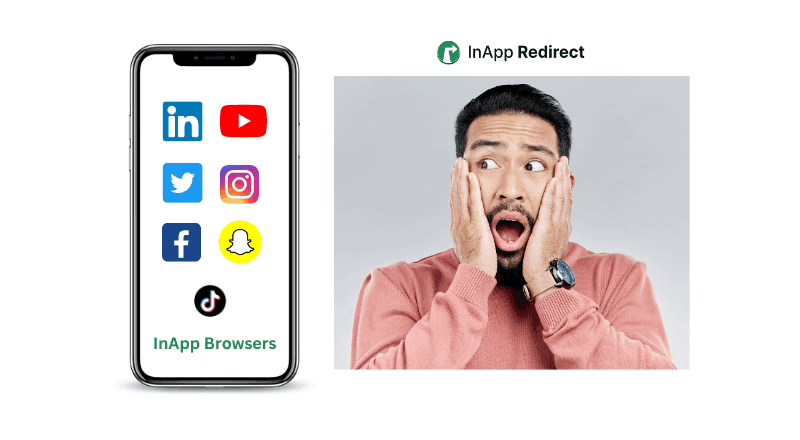
Understand the difference between in-app browsers and default browsers and how they impact your browsing experience.
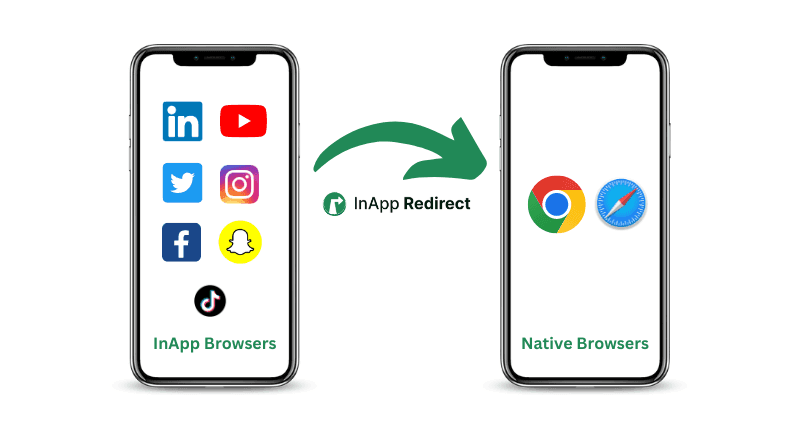
Follow simple steps to direct URLs to open in external browsers for improved functionality and accessibility across various devices and platforms.
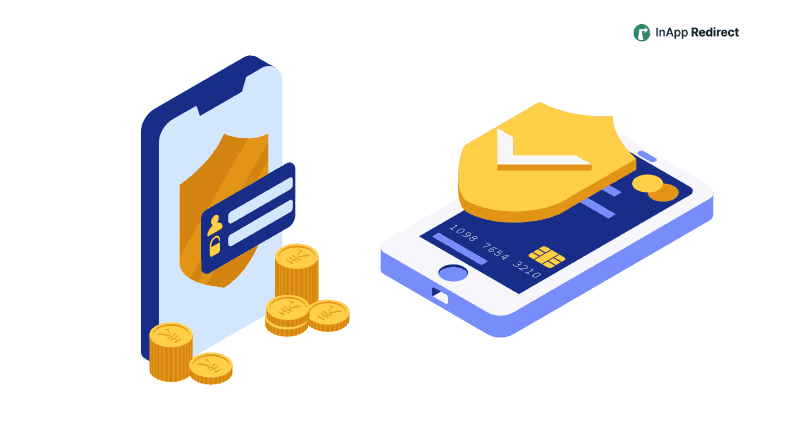
Learn about the security considerations of in-app browsers and how to ensure a safe browsing experience.

Discover how in-app browsers are hurting your social media ad conversions by limiting user experience. Learn how you can redirect users to default browsers, save their session, and boost your conversion rates with InApp Redirect!
Improve Meta ads performance by fixing in-app browser issues. Redirect users to native browsers to increase ATC, checkout completion, and ROAS.
Discover how redirecting social ad clicks to native browsers can enhance your Return on Ad Spend (ROAS) and improve campaign performance.
Discover how to bypass Facebook’s in-app browser to boost your website conversions and improve ROAS. Learn how InApp Redirect ensures a seamless user experience.