
What changes for visitors?
The website destination stays the same. Visitors continue in an external browser, where an existing valid session and saved details may already be available.
Help visitors continue from Instagram to your website in a browser such as Safari or Chrome. Use Domain Setup across your website or create individual SmartLinks for campaigns, content, bookings, and purchases.
Quick Answer
InApp Redirect™ helps visitors continue from links clicked inside Instagram to your website in an external browser, such as Chrome or Safari, with their consent.
The website destination stays the same. Visitors continue in an external browser, where an existing valid session and saved details may already be available.
Use Domain Setup across a website you own or manage, or create SmartLinks for individual destinations, including websites you don’t control.
The destination stays the same. The browsing environment can change.
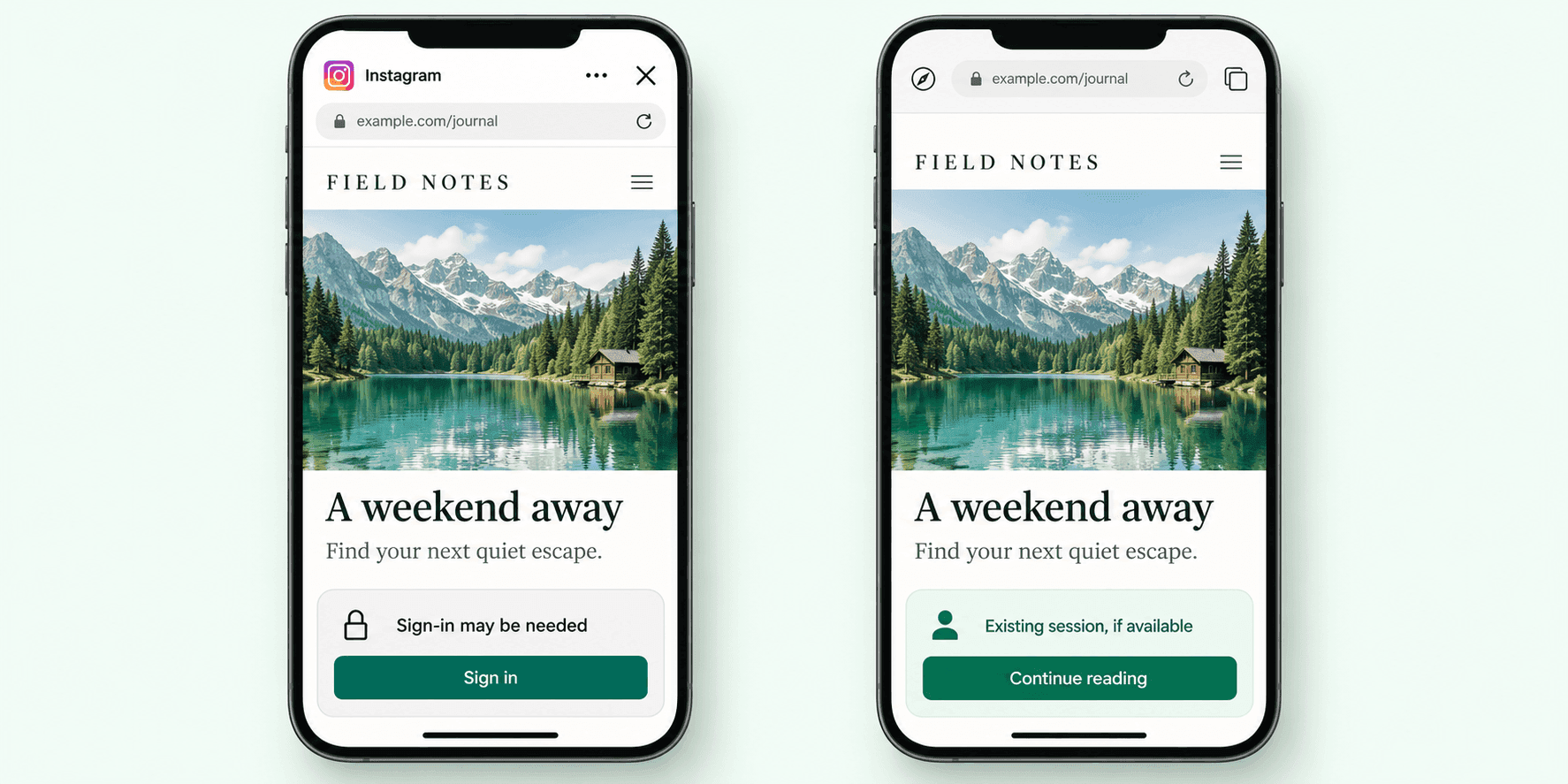
Choose based on whether you control the destination website and how broadly you want to enable browser routing.
Install InApp Redirect™ JS Pixel on your website to offer Instagram visitors an external-browser option across your pages. Keep using your existing destination URLs for campaigns, articles, booking flows, and customer accounts.
Create a SmartLink for your chosen destination. Share it with followers across your campaigns. Offer an external-browser option with their consent. No access to the destination website is needed.
Want to open content inside YouTube, Spotify, Amazon, or another supported mobile app? Explore App Opener.
Fit Check
Choose browser routing when your Instagram traffic leads to a website. For other destinations, choose the product that fits the journey.
See how the browsing environment can affect sign-in, checkout, and the next action on your website.
| Your visitor’s experience | Inside Instagram | With InApp Redirect™ |
|---|---|---|
| Website links | Your site loads inside Instagram’s embedded browser. | Visitors can continue to your site in an external browser, such as Chrome or Safari, with their consent. |
| Signed in | An existing session from the visitor’s native browser may not be available, so another sign-in may be needed. | Visitors may already be signed in if a valid session exists in the browser they open. |
| Checkout | Saved passwords and payment details may not be available in the embedded browser. | Saved passwords, autofill, and payment details may be available, depending on browser settings and website support. |
| Taking action | Additional sign-in or form-entry steps can interrupt a purchase, subscription, or booking. | An existing session and saved details may reduce repeat steps when purchasing, subscribing, or booking. |
Whether you want Instagram links to open in Safari or Chrome, InApp Redirect™ handles it seamlessly.
Give iPhone visitors a way to continue from Instagram to your website in Safari with their consent. Returning visitors may already be signed in, while saved passwords and AutoFill can make checkout, bookings, and forms easier to complete when available.
Give Android visitors a way to continue from Instagram to your website in Chrome with their consent. Returning visitors may already be signed in, while saved passwords and autofill can reduce repeat typing when available.
Help visitors open links from your Instagram profile, Stories, DMs, and ads in their native or external browser, such as Chrome or Safari, with their consent on supported journeys.
Help visitors open links from your Instagram bio in their native or external browser, such as Chrome or Safari, to explore your website, read content, or make a booking. Bring your destinations together with our Link in Bio page.
Help visitors continue from a Story’s link sticker to an article, offer, or landing page in their native or external browser.
Help customers open links shared in Instagram conversations and follow-ups in their native or external browser to view products, explore services, or book appointments.
Help visitors continue from your Instagram ads to your campaign landing pages in their native or external browser to shop, enquire, or sign up.
Instagram can display a website inside an embedded browser. A session from the visitor’s regular browser may not be available in that environment, so a returning visitor can encounter another login or verification step.
That can interrupt access to subscriber articles, bookings, saved information, or a purchase.
Your Instagram campaigns bring people to products, courses, bookings, and subscriptions. Help them continue in a browser where their saved details and an existing website session may already be available.
Less re-entering. More room to keep going. InApp Redirect™ offers a path to the visitor’s native browser with their consent, helping them access familiar browser features as they move towards conversion.
| Feature | In-app browser | External browser |
|---|---|---|
| Checkout autofillAddresses and payment details | Saved details may not be available. | Saved details can autofill where enabled. |
| Apple Pay / Google PayWallet payments | Availability depends on the device and checkout. | Available where the wallet, browser, and merchant support it. |
| Multiple tabsCompare before buying | Tab controls depend on the in-app experience. | Use browser tabs to compare products or offers. |
| Browsing historyFind a page again | Separate from the native browser’s history. | Revisit pages through history when enabled. |
| Cookies & sessionsAccounts and preferences | Native-browser sessions may not be available. | An existing valid session may be recognized. |
| Password managerSaved sign-in details | Availability varies by device and autofill settings. | Use configured password autofill where supported. |
| Campaign measurementVisits and conversions | Depends on consent and analytics setup. | UTMs are preserved; analytics and consent still apply. |
| Return to the pageContinue after browsing Instagram | Returning depends on Instagram’s navigation. | Return to the browser tab if it remains open. |
An Instagram click can lead to a purchase, an enquiry, a reservation, or an article. Help visitors take the next step that matters to your business in their device’s native browser, such as Chrome or Safari.
Help shoppers continue from Instagram to your store in their native browser to explore products, browse offers, and complete a purchase.Example journeyStory link → Product page → Purchase
Help readers open articles and subscription pages in their native browser. An existing valid session may simplify access to subscriber content, subject to your website’s requirements.Example journeyStory link → Article → Read or subscribe
Help travellers open accommodation details and booking pages in their native browser to plan a stay, make a reservation, or manage an existing booking.Example journeyInstagram ad → Booking page → Reservation
Help prospective buyers open property listings in their native browser to explore details, request a viewing, or access your customer portal.Example journeyInstagram ad → Property listing → Viewing enquiry
Help learners continue to course pages in their native browser to explore programmes, enrol, or access an existing learning account.Example journeyProfile link → Course page → Enrolment
Help visitors open schedules and booking pages in their native browser to reserve a class, explore memberships, or book an appointment.Example journeyProfile link → Booking page → Reserve a slot
Keep your campaign parameters intact and identify visitors redirected by InApp Redirect™ in your analytics.
Use your selected redirect identifier to find visitors who reached your destination page after redirection.
For journeys that require an account, check whether returning visitors could use an existing session or needed to sign in again.
Track purchases, bookings, enquiries, or subscriptions from redirected visits. Compare conversion rates as well as the total number of completed actions.
Review results across all campaign visitors, including those who stayed inside Instagram. This shows how the campaign performed beyond redirected visits alone.
For a fair comparison, use similar audiences, the same landing page and offer, and the same reporting period. Keep your analytics settings consistent. A higher conversion rate among redirected visitors alone does not prove that redirection caused the improvement.
Want to see how campaign revenue compares with ad spend? Use the Meta Ads ROAS Calculator.
It is an embedded browsing window that can show a website while the visitor remains inside Instagram. Its session state and available features may differ from those of a native browser, such as Chrome or Safari.
It helps eligible visitors continue to an external browser, such as Safari or Chrome, with their consent.
No. It provides a route to an external browser on supported journeys. It does not disable Instagram’s browser.
Domain Setup is designed for websites you control and allows you to keep using existing destination URLs. SmartLink creates individual sharing links for selected destinations.
They may be signed in if a valid website session exists in the external browser that opens. InApp Redirect™ does not transfer cookies or bypass authentication.
Yes.
Yes. InApp Redirect™ preserves all your UTM parameters and passes them to the destination URL when visitors continue in their native or external browser, such as Chrome or Safari.
Choose either ref=inappredirect or utm_term=inappredirect in your InApp Redirect™ dashboard. The selected identifier is added during redirection. Use it in your analytics to identify redirected visits and measure the purchases, bookings, enquiries, or other conversions that follow.
No. This page explains how visitors can leave Instagram’s embedded browser for a website destination. Opening an Instagram profile or other content inside the Instagram app is a different journey.
Use App Opener for supported installed-app destinations. For YouTube content, explore YouTube App Opener.
Yes. InApp Redirect™ also supports businesses in news and media, travel and hospitality, real estate, education and training, fitness, wellness, and appointment-based services.
See current plans and feature availability on our pricing page.
Generally, yes. We have observed up to a 30% uplift in conversions among visitors who chose to continue in an external browser, such as Chrome or Safari, compared with those who stayed in Instagram’s browser. This is an observed comparison, not a guaranteed improvement for every campaign.
Help visitors continue from your WhatsApp campaign links to your website in their native browser, such as Chrome or Safari.
Connected product suite
Explore website-wide routing, individual SmartLinks, app-opening destinations, and plans for your Instagram traffic.
Create branded short links, review recorded clicks, and manage destinations after sharing.
Explore Link Shortener
For creating supported YouTube app-opening links to share in bios, Stories, emails, and DMs.
Explore YouTube App OpenerBest for brands running Meta Ads to their own website that want visitors to open landing pages in Chrome or Safari.
Explore Domain SetupFor links to destinations you do not control that should open in the user's native browser.
Explore SmartLinkFor one branded profile page that routes every child link to a better destination.
Explore Link in BioFor opening supported mobile apps directly from social, creator, and campaign traffic.
Explore Deep LinkFor identifying supported app destinations and creating a direct app-opening journey.
Explore App OpenerExplore this guide to plan your next steps with InApp Redirect.
WhatsApp browser bypassExplore the platform and find the right browser-routing or app-opening solution for your traffic.
Explore InApp RedirectExplore native browser routing for Meta ads and estimate your additional monthly revenue.
Improve Meta Ads ROASCalculate current ROAS from revenue and ad spend, then compare an optional browser-routing scenario.
Calculate Meta Ads ROASCompare plans, included features, and usage limits to find the right option for your campaigns.
Compare plans and pricingFind the right setup for Meta Ads, ecommerce, creator content, and other campaigns.
Explore all use casesRead practical guides to native browser routing, sharing links, and opening content in mobile apps.
Explore BlogsHelp visitors continue to your website in their native browser, such as Chrome or Safari, with their consent—so they can shop, book, read, or enquire. Keep your campaign parameters intact and measure the actions that follow.
Two ways to get started
Use Domain Setup for a website you own or manage. Choose SmartLink for individual campaign links or destinations you don’t control.
Explore Domain SetupExplore SmartLink Find the right setup for your campaigns.
Book a demo.
Discover how to boost social media ads ROAS results by bypassing Instagram’s InApp Browser using InApp Redirect. Improve user experience, tracking accuracy, and conversions effortlessly.

Discover how in-app browsers are hurting your social media ad conversions by limiting user experience. Learn how you can redirect users to default browsers, save their session, and boost your conversion rates with InApp Redirect!

Discover what happens after a Facebook or Instagram ad click, why browser choice matters, and how InApp Redirect helps visitors take the next step.

Discover methods for directing links to open in the system browser rather than within the confines of an in-app browser for a better browsing experience.
Your social ads earned the click. Discover how InApp Redirect helps improve the journey to your website with Domain Setup, SmartLinks, and browser routing.
Understand the difference between in-app browsers and default browsers and how they impact your browsing experience.
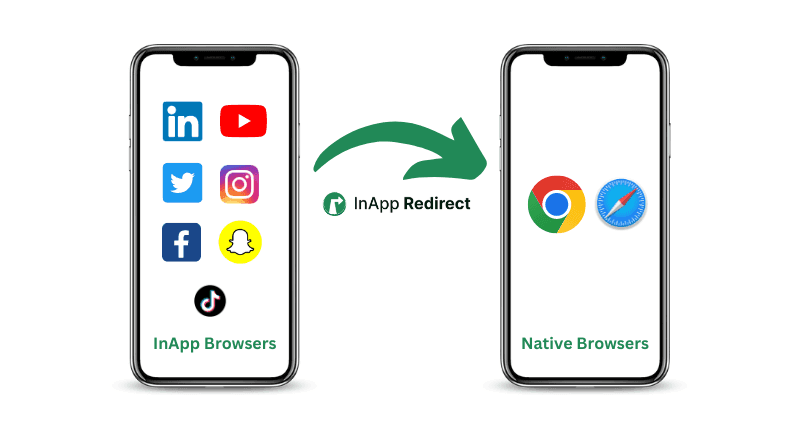
Follow simple steps to direct URLs to open in external browsers for improved functionality and accessibility across various devices and platforms.
Improve Meta ads performance by fixing in-app browser issues. Redirect users to native browsers to increase ATC, checkout completion, and ROAS.
Instagram links not opening? Find out whether it’s a broken URL, browser issue, or app-opening problem—and how InApp Redirect can help visitors continue.
Discover how redirecting social ad clicks to native browsers can enhance your Return on Ad Spend (ROAS) and improve campaign performance.
Discover how to bypass Facebook’s in-app browser to boost your website conversions and improve ROAS. Learn how InApp Redirect ensures a seamless user experience.
Learn about the security considerations of in-app browsers and how to ensure a safe browsing experience.