
What does it do?
It helps open your WhatsApp campaign destination in an external browser, such as Chrome or Safari, instead of WhatsApp’s embedded browsing window.
InApp Redirect™ helps open WhatsApp campaign links in an external browser, such as Chrome or Safari. Returning customers may already be signed in to your website in their native/external browser, helping reduce repeat-login friction and making it easier to access their accounts, manage bookings, use your services, or complete purchases.
Quick Answers
InApp Redirect™ helps customers move from a WhatsApp campaign link to your website in an external browser, making it easier for returning customers to pick up where they left off.
It helps open your WhatsApp campaign destination in an external browser, such as Chrome or Safari, instead of WhatsApp’s embedded browsing window.
Businesses across industries using WhatsApp to bring customers to their websites, booking pages, customer portals, or online stores through promotions, reminders, service updates, and re-engagement campaigns.
Customers with an existing session in their native/external browser may already be signed in to your website, helping them access their account, manage bookings, use services, or complete purchases with fewer repeat-login steps.
Start with Domain Setup to configure InApp Redirect™ on your website.
Fit Check
Use it when your WhatsApp message leads to a website and you want a smoother path to browsing, booking, managing an account, or shopping in an external browser.
The WhatsApp in-app browser is an embedded browsing window that can open eligible website links without taking the customer out of WhatsApp.
It is different from WhatsApp Web, which lets people use WhatsApp messaging in a desktop browser.
For businesses, the important question is what happens after the website opens: can customers access their accounts, manage bookings, renew services, or complete purchases without unnecessary login steps?
Your campaign brought them back. Don’t make them start again.
A customer taps your WhatsApp message to claim an offer, manage a booking, renew a service, or complete a purchase.
When the link opens inside WhatsApp’s in-app browser, their existing website login may not be available. Even a returning customer can encounter another sign-in step before reaching what they came for.
InApp Redirect™ helps customers continue in an external browser like Chrome or Safari. If they already have a valid website session in that browser, they may be able to continue without signing in again.
These interruptions can make a simple return visit harder than expected.
You’ve already invested in bringing customers back. Make it easier for them to take the next step.
Configure InApp Redirect™ for your website and help customers continue in an external browser where they may already be signed in.
Set up your website
Open the InApp Redirect™ dashboard and begin with Domain Setup.
Get StartedReduce avoidable interruptions between a WhatsApp message and the action your customer came to complete.
Help returning customers reach an external browser where a valid website session may already be available, reducing the need to sign in again.
Help customers move from a WhatsApp reminder to account details, booking information, or service requests in a familiar browser.
Let customers continue important tasks in an external browser, where saved information and autofill may be available depending on their settings and your website.
Improve the journey after the click, then measure whether more recipients complete the action your campaign is designed to encourage.
Use WhatsApp to bring customers back to the pages where they buy, book, pay, renew, and manage their accounts.
Direct customers to a relevant product, collection, or offer page when you announce a promotion or remind them to reorder.
Link customers to booking details, appointment confirmation, or rescheduling pages when they need to manage an upcoming visit.
Bring customers to the page where they can review and renew a membership, subscription, or ongoing service.
Help customers reach their orders, invoices, account information, or service requests from a relevant WhatsApp message.
Direct customers to the appropriate bill or payment page. Test any authentication requirements and payment-provider handoffs before launch.
Reconnect previous customers with a relevant account, service, booking, or purchase destination that gives them a reason to return.
From repeat purchases to policy renewals, help customers return to your website through an external browser where an existing valid session may already be available.
Bring customers back to buy again.Use WhatsApp for product launches, replenishment reminders, back-in-stock alerts, and cart-recovery campaigns. Direct customers to the relevant product or recovery link in an external browser.Example journeyReplenishment reminder → Product page → Repeat purchase
Make policy servicing and renewals easier to reach.Link policyholders to policy details, documents, claim updates, or renewal pages. An existing browser session may reduce repeat-login steps, while required identity checks still apply.Example journeyRenewal reminder → Policy account → Renewal payment
Help travellers return to their booking.Send customers to itinerary details, booking management, outstanding payments, or relevant travel offers in an external browser where they may already be signed in.Example journeyBooking reminder → Customer account → Manage booking
Connect property conversations with the next website action.Direct prospects to relevant listings, saved properties, site-visit bookings, or customer portals. Login continuity can help where your website provides account-based features.Example journeyProperty update → Listing page → Site-visit booking
Make appointment management easier to access.Link patients to appointment booking, confirmation, or rescheduling pages. An existing valid browser session may reduce repeat-login friction; required identity checks still apply.Example journeyAppointment reminder → Booking page → Confirm or reschedule
Help learners return to their next step.Bring learners or parents back to course dashboards, enrolment pages, class bookings, or fee-payment portals. An existing browser session may make account access easier.Example journeyCourse reminder → Learner portal → Resume learning
Turn service reminders into convenient bookings.Direct vehicle owners to service scheduling, maintenance plans, quotations, or customer accounts through WhatsApp follow-ups.Example journeyService reminder → Customer account → Book maintenance
Make repeat ordering easier for business customers.Bring dealers and wholesale buyers back to their account to view negotiated pricing, check orders, or replenish stock. Account access depends on a valid session and your portal’s authentication requirements.Example journeyReorder reminder → Dealer portal → Place an order
Help readers return to the stories that matter.Direct readers from WhatsApp news alerts and editorial updates to articles, subscriber content, or subscription-management pages. An existing valid browser session may reduce repeat-login steps; access still depends on the reader’s subscription and your website’s requirements.Example journeyNews alert → Article page → Continue reading
Make class bookings and membership renewals easier.Direct members from WhatsApp class notifications and renewal reminders to schedules, booking pages, or membership accounts. An existing valid browser session may help members continue with fewer repeat-login steps.Example journeyClass notification → Member portal → Reserve a slot
| Journey stage | When the website opens inside WhatsApp | With InApp Redirect™ on supported devices |
|---|---|---|
| Browsing destination | The website opens in WhatsApp’s embedded browsing window. | The customer can choose to continue to the website in an external browser. |
| Customer choice | The customer continues within the embedded browsing experience. | The customer chooses whether to proceed with the external-browser handoff. |
| Existing website session | The session used in the customer’s regular browser is not available. | An existing valid session in the browser opened may be available, potentially avoiding another login. |
| Forms, bookings, and payments | The experience depends on the embedded browser and the destination website. | The experience depends on the external browser, its available saved information, and the destination website. |
| Business outcome | Measure completed actions for the existing campaign journey. | Compare completed actions with the original journey, including unsuccessful handoffs. |
InApp Redirect™ helps customers reach an external browser where they may already be signed in. Compare campaign results to see whether fewer login steps lead to more completed actions.
Measure results in your website analytics.
Each successful redirect includes a tracking identifier. In the InApp Redirect™ dashboard, choose either utm_term="inappredirect" or ref="inappredirect" to identify redirected visits in your website analytics.
WhatsApp’s browser · Another login may be needed
External browser · An existing valid login may be available
Browser support, store sessions, and what to verify before your next send.
Connected product suite
Explore website routing, campaign links, plans, and guides for a smoother journey back to your store.
Create branded short links, review recorded clicks, and manage destinations after sharing.
Explore Link Shortener
For creating supported YouTube app-opening links to share in bios, Stories, emails, and DMs.
Explore YouTube App OpenerBest for brands running Meta Ads to their own website that want visitors to open landing pages in Chrome or Safari.
Explore Domain SetupFor links to destinations you do not control that should open in the user's native browser.
Explore SmartLinkFor one branded profile page that routes every child link to a better destination.
Explore Link in BioFor opening supported mobile apps directly from social, creator, and campaign traffic.
Explore Deep LinkFor identifying supported app destinations and creating a direct app-opening journey.
Explore App OpenerExplore the platform and find the right browser-routing or app-opening solution for your traffic.
Explore InApp RedirectExplore native browser routing for Meta ads and estimate your additional monthly revenue.
Improve Meta Ads ROASCalculate current ROAS from revenue and ad spend, then compare an optional browser-routing scenario.
Calculate Meta Ads ROASCompare plans, included features, and usage limits to find the right option for your campaigns.
Compare plans and pricingFind the right setup for Meta Ads, ecommerce, creator content, and other campaigns.
Explore all use casesRead practical guides to native browser routing, sharing links, and opening content in mobile apps.
Explore BlogsBring returning customers back to your store with fewer avoidable interruptions. Test InApp Redirect™ with your WhatsApp campaign links, verify the shopping experience, and measure the impact on completed purchases.
Start with your campaign link
Set up your campaign link in the InApp Redirect™ dashboard, then test it on the devices your customers use.
Get StartedInApp Redirect™ is an independent product and is not affiliated with or endorsed by WhatsApp or Meta.
Discover how to boost social media ads ROAS results by bypassing Instagram’s InApp Browser using InApp Redirect. Improve user experience, tracking accuracy, and conversions effortlessly.

Discover methods for directing links to open in the system browser rather than within the confines of an in-app browser for a better browsing experience.
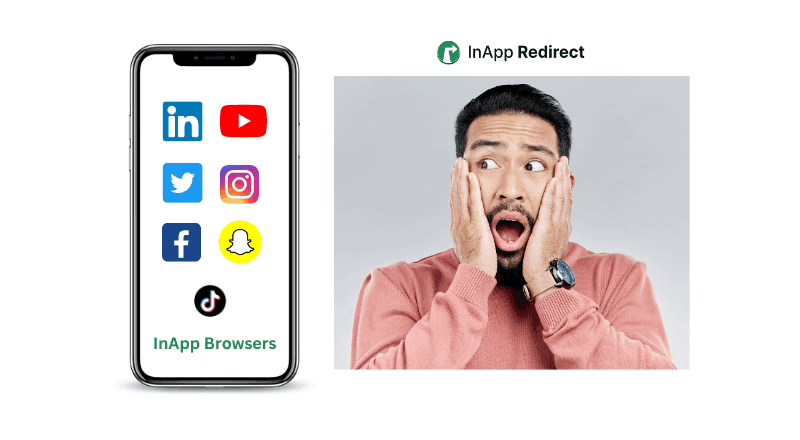
Understand the difference between in-app browsers and default browsers and how they impact your browsing experience.
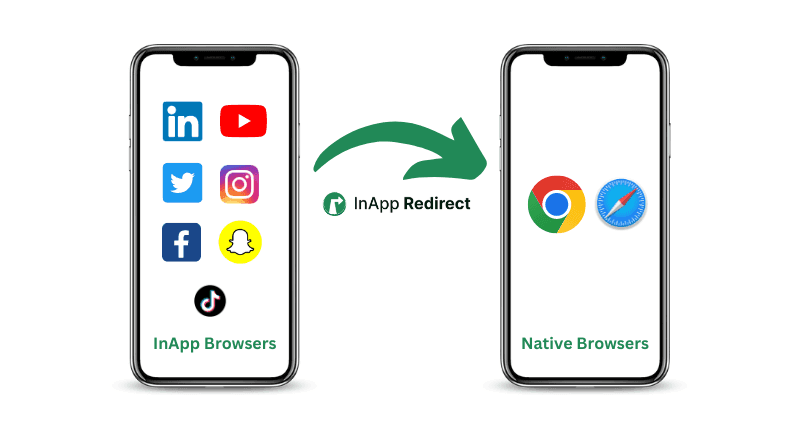
Follow simple steps to direct URLs to open in external browsers for improved functionality and accessibility across various devices and platforms.
Learn about the security considerations of in-app browsers and how to ensure a safe browsing experience.

Discover how in-app browsers are hurting your social media ad conversions by limiting user experience. Learn how you can redirect users to default browsers, save their session, and boost your conversion rates with InApp Redirect!
Improve Meta ads performance by fixing in-app browser issues. Redirect users to native browsers to increase ATC, checkout completion, and ROAS.
Discover how redirecting social ad clicks to native browsers can enhance your Return on Ad Spend (ROAS) and improve campaign performance.
Discover how to bypass Facebook’s in-app browser to boost your website conversions and improve ROAS. Learn how InApp Redirect ensures a seamless user experience.
Brands, Creators and Influencers use InApp Redirect to turn high-intent social traffic into journeys that feel faster, convert better, and measure cleanly.